# Import Key Requests
By default, only requests at the service level are imported by the telemetry provider.
To import specific key requests you can follow these steps.
{% hint style="info" %}
Currently only average response time, throughput, and error rate metrics are available for key requests.
{% endhint %}
### Component Creation
Create a new component of type Web Application for each key request you want to import. This allows tracking response time, throughput, and error rates separately.
You can use the following yaml file as an example and customize it to suit your needs.
```yaml
name: KeyRequestA
description: The key request A for my application
componentType: Web Application
properties:
dynatrace:
type: SERVICE_METHOD
id: SERVICE_METHOD-D4BCC949D5DD656A
```
In order to instruct Akamas to import a specific key request you just need to change the `id` field of the yaml above to the one that matches your key request on Dynatarce.
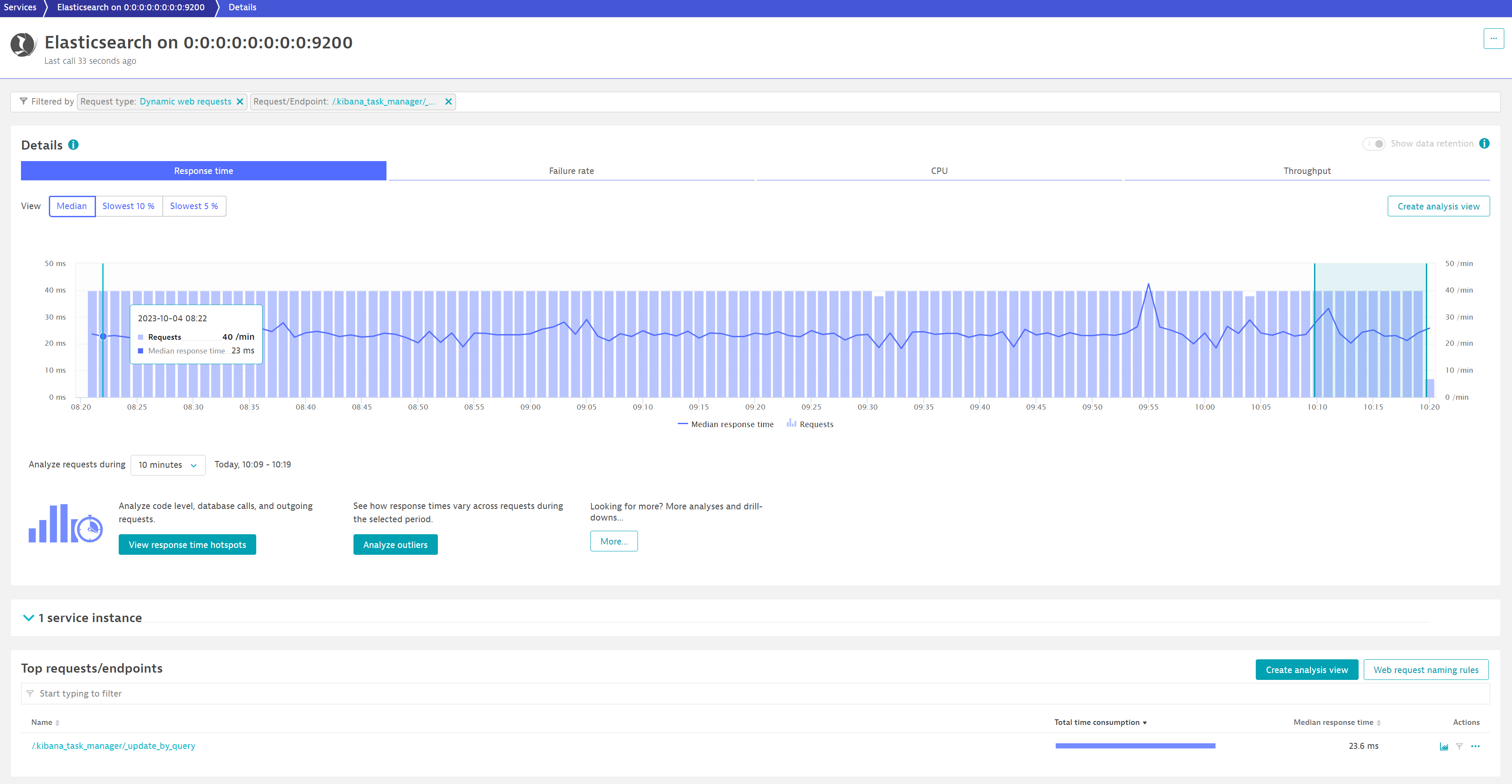
To obtain that ID open the analysis page for the request as in the example below, take note of the URL of the page, and look for the `SERVICE_METHOD` keyword. The id is the one starting with `SERVICE_METHOD` and ending before the character `%14`
Dynatarce Analysis view of a key request
Considering the example below the id is `SERVICE_METHOD-D4BCC949D5DD656A`
Service Method ID
### Telemetry instance setup
Create a telemetry instance for your system using the yaml specified below as an example and modify it to provide your Dynatrace account and credentials. This will instruct Akamas to use key request metrics instead of service metrics.
```yaml
provider: Dynatrace
config:
url: https://.dynatrace.com/
token:
metrics:
- metric: requests_response_time
datasourceMetric: builtin:service.keyRequest.response.time
scale: 0.001
defaultValue: 0.0
staticLabels:
provider: dynatrace
- metric: requests_throughput
datasourceMetric: builtin:service.keyRequest.errors.server.successCount
scale: 0.0166666666666666666666666666666
defaultValue: 0.0
staticLabels:
provider: dynatrace
- metric: requests_error_rate
datasourceMetric: builtin:service.keyRequest.errors.server.rate
scale: 0.01
defaultValue: 0.0
staticLabels:
provider: dynatrace
```