# Identity provider users

If you have configured ore or more Identity Providers, you can also limit the number of concurrent user sessions. First, access the Keycloak admin console with the instructions provided on the page [accessing-keycloak-admin-console](https://docs.akamas.io/akamas-docs/3.6/managing-akamas/users-management/accessing-keycloak-admin-console "mention").

<figure><img src="https://4103111959-files.gitbook.io/~/files/v0/b/gitbook-x-prod.appspot.com/o/spaces%2FzrIhBBVa4sw46ol13SWX%2Fuploads%2Fgit-blob-55665bf410c25fd25039fcfad07654fe6ce0d2f3%2FSchermata%20del%202024-01-25%2017-13-39.png?alt=media" alt=""><figcaption></figcaption></figure>

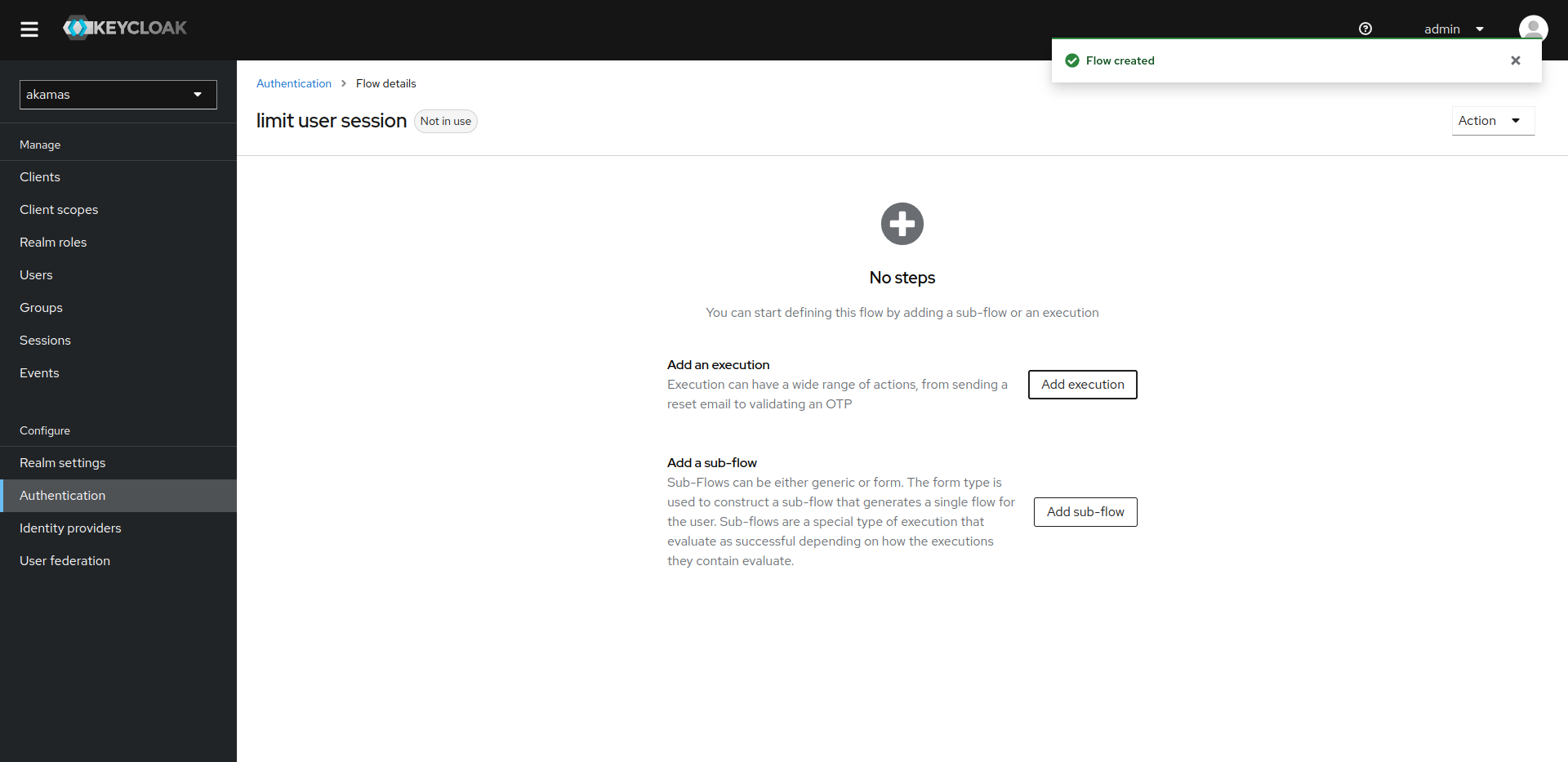
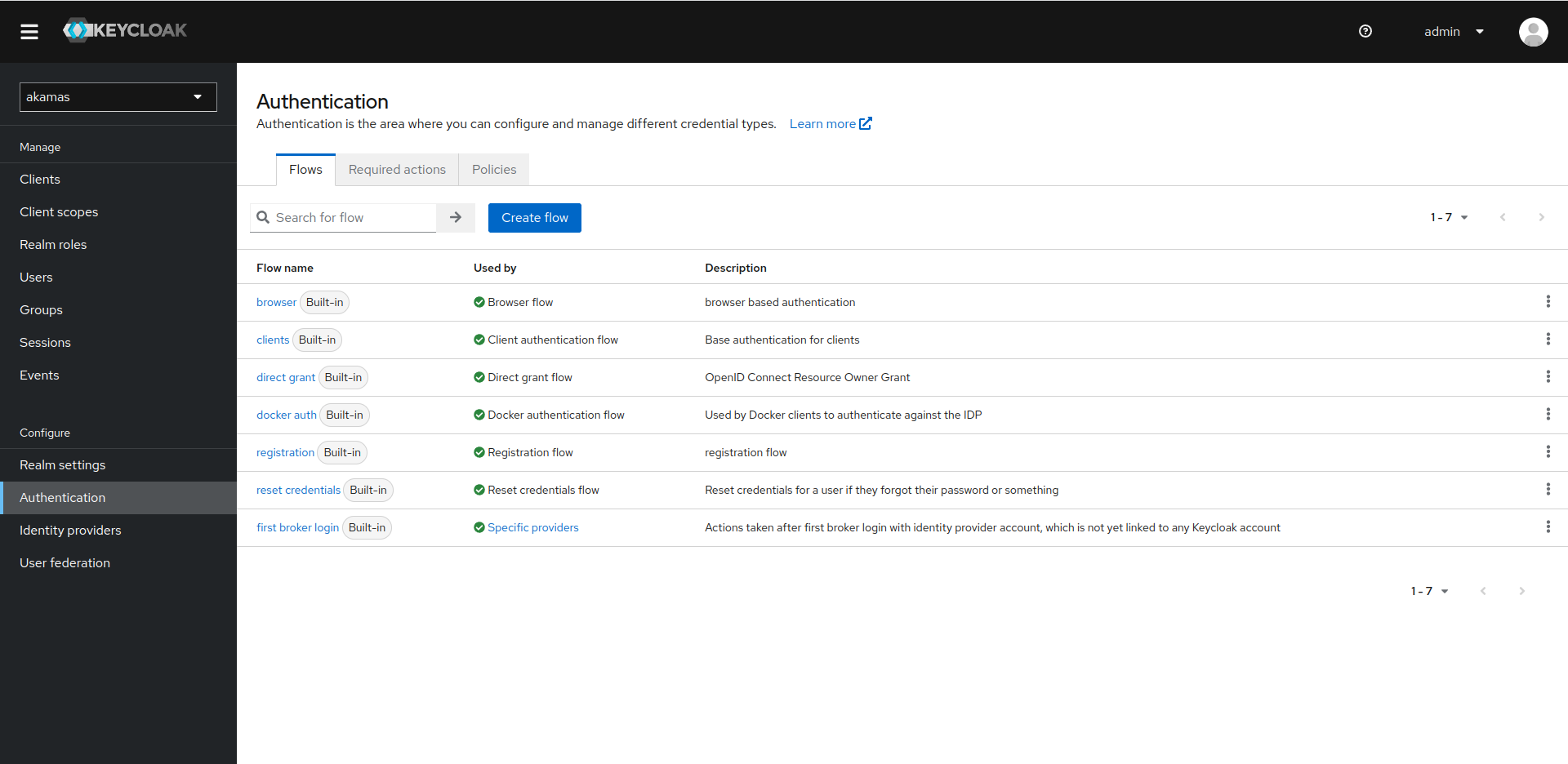
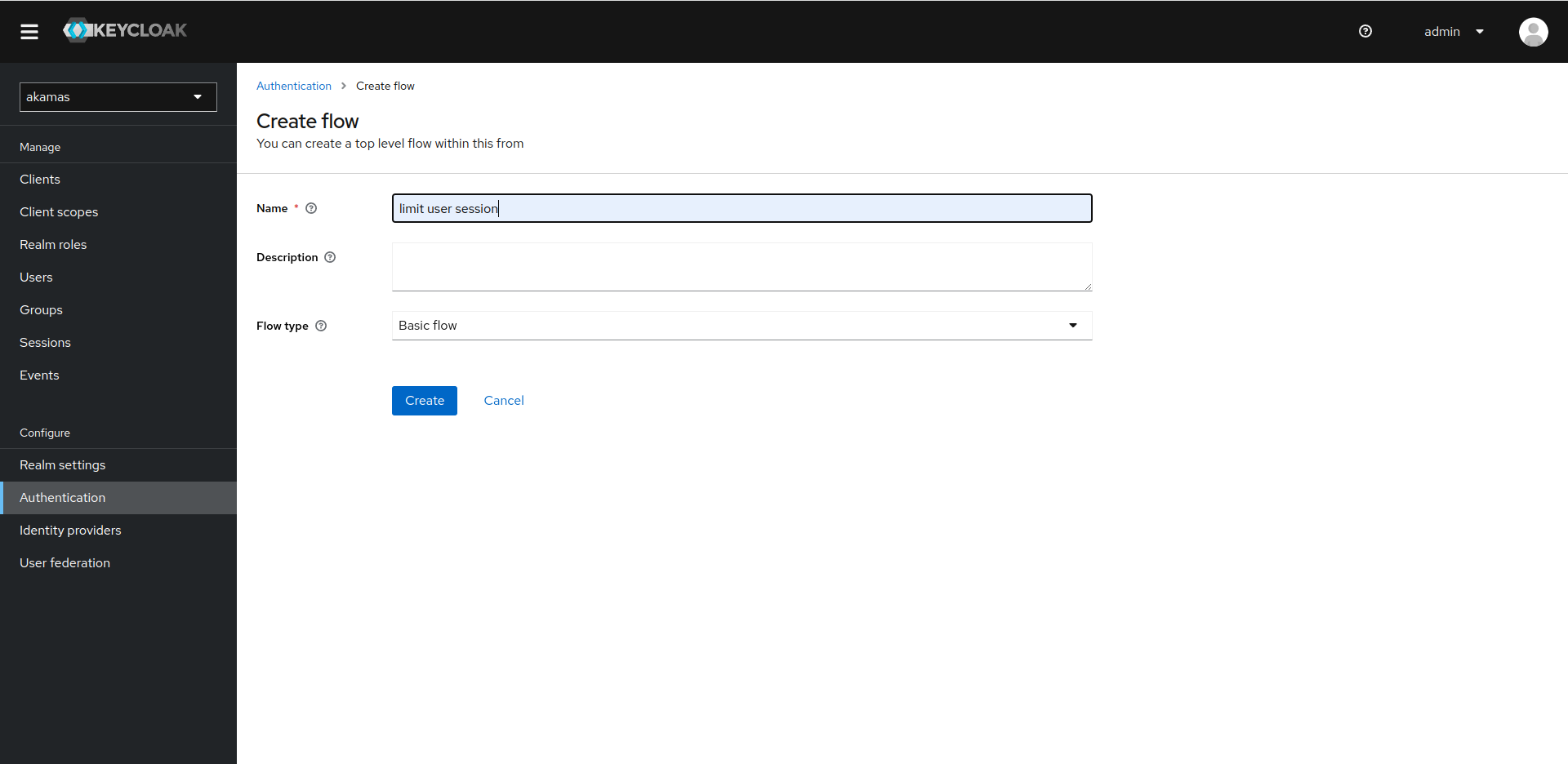
Click on the "create flow" button, provide a name, and then select the flow type "Basic Flow" and click on create.

<figure><img src="https://4103111959-files.gitbook.io/~/files/v0/b/gitbook-x-prod.appspot.com/o/spaces%2FzrIhBBVa4sw46ol13SWX%2Fuploads%2Fgit-blob-b6bba2577249e3a9675d11a01693024f550ec206%2FSchermata%20del%202024-01-25%2017-21-31.png?alt=media" alt=""><figcaption></figcaption></figure>

Now click on "add execution"

<figure><img src="https://4103111959-files.gitbook.io/~/files/v0/b/gitbook-x-prod.appspot.com/o/spaces%2FzrIhBBVa4sw46ol13SWX%2Fuploads%2Fgit-blob-94d18ebda1fdab3c37907c87e21a015e56b5bc47%2FSchermata%20del%202024-01-25%2017-21-40.png?alt=media" alt=""><figcaption></figcaption></figure>

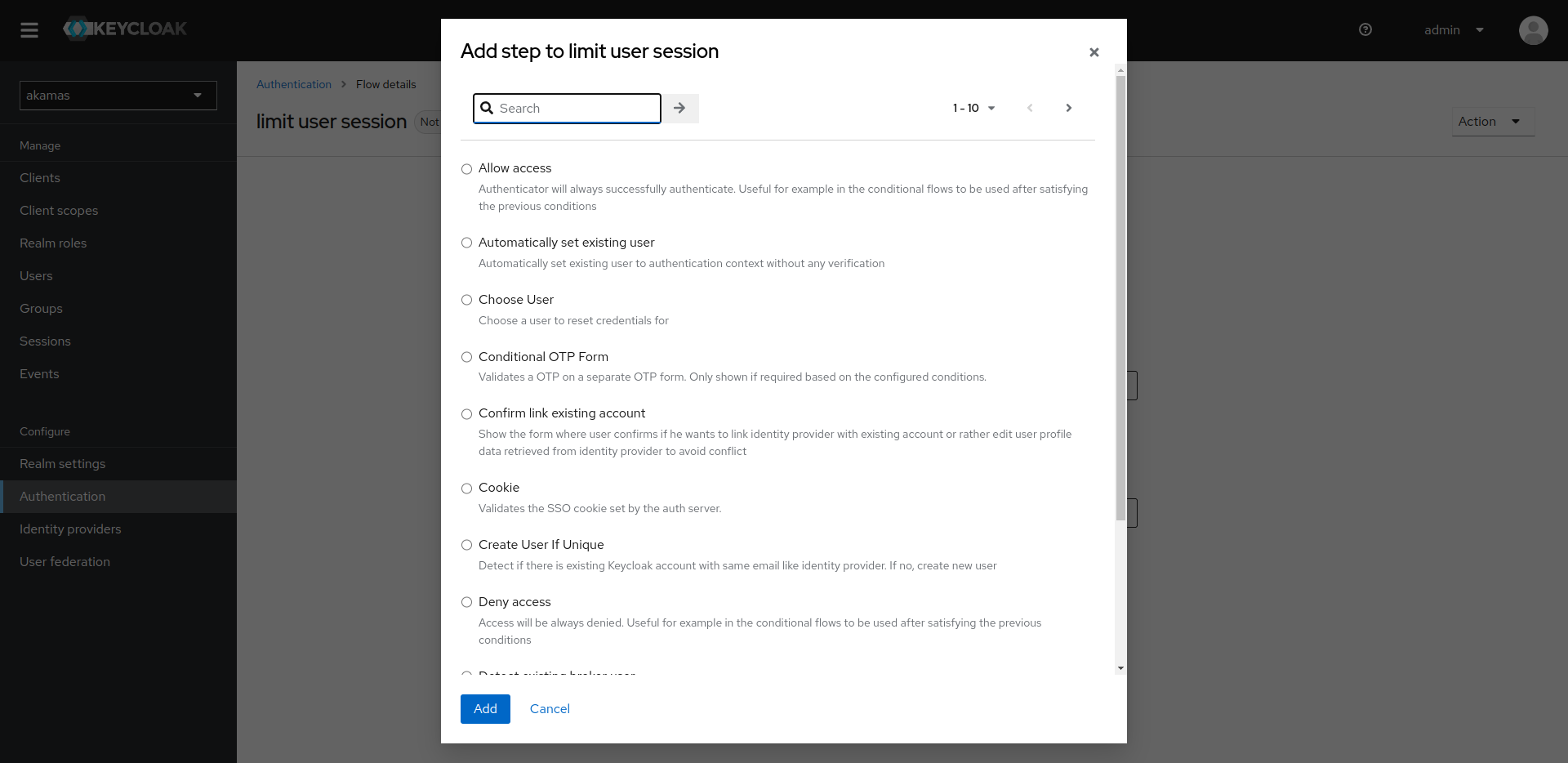
A dialog pops up with a list of possible actions, filter the results with the limit keyword.

<figure><img src="https://4103111959-files.gitbook.io/~/files/v0/b/gitbook-x-prod.appspot.com/o/spaces%2FzrIhBBVa4sw46ol13SWX%2Fuploads%2Fgit-blob-51d8f644a7d4859beb54e52631837e62d013f089%2FSchermata%20del%202024-01-25%2017-21-47.png?alt=media" alt=""><figcaption></figcaption></figure>

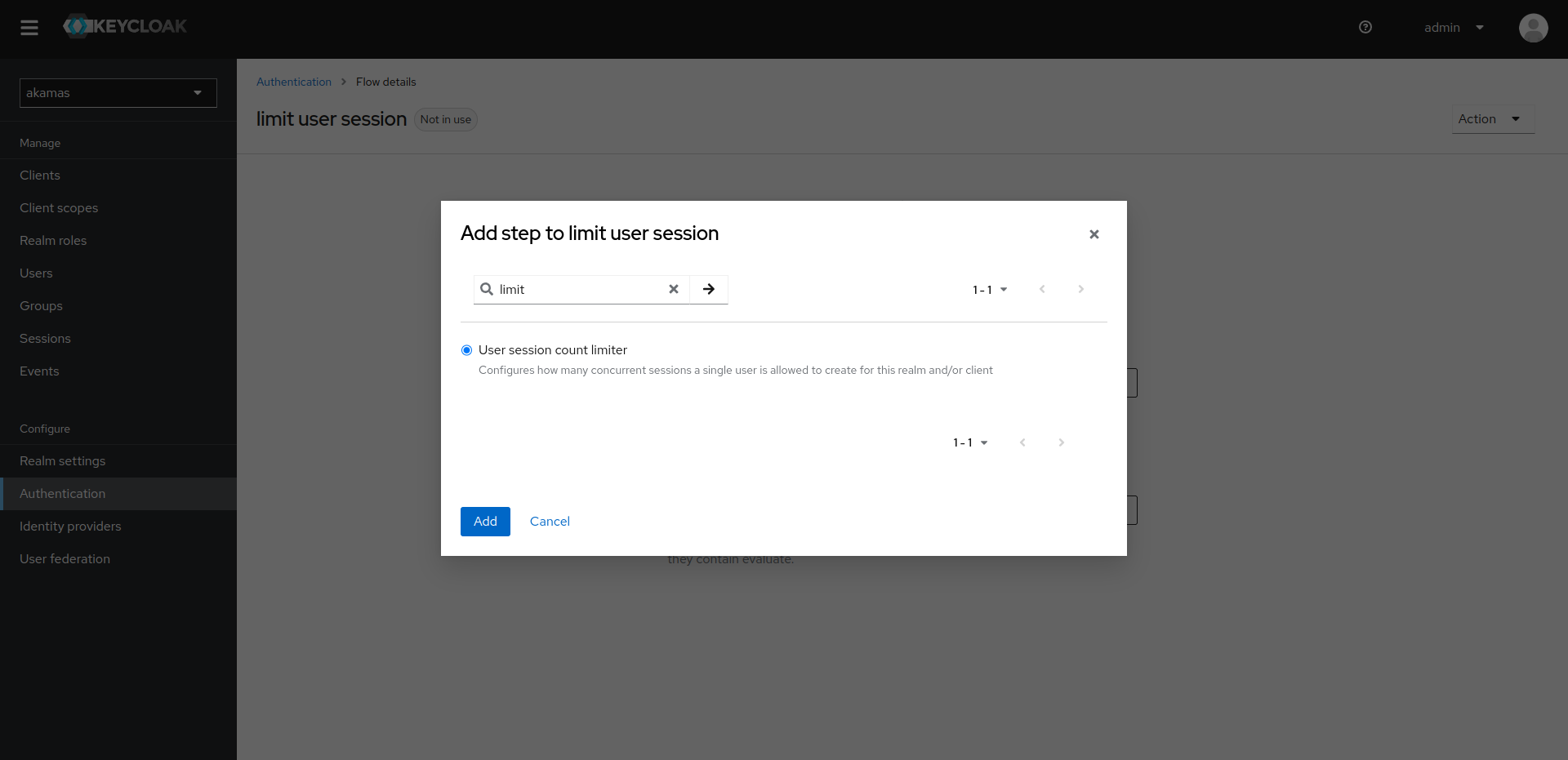
Select "User session count limiter" and click on "Add".

<figure><img src="https://4103111959-files.gitbook.io/~/files/v0/b/gitbook-x-prod.appspot.com/o/spaces%2FzrIhBBVa4sw46ol13SWX%2Fuploads%2Fgit-blob-2c995e546940b2ab468a41d1e712932fdc7bf45b%2FSchermata%20del%202024-01-25%2017-21-55.png?alt=media" alt=""><figcaption></figcaption></figure>

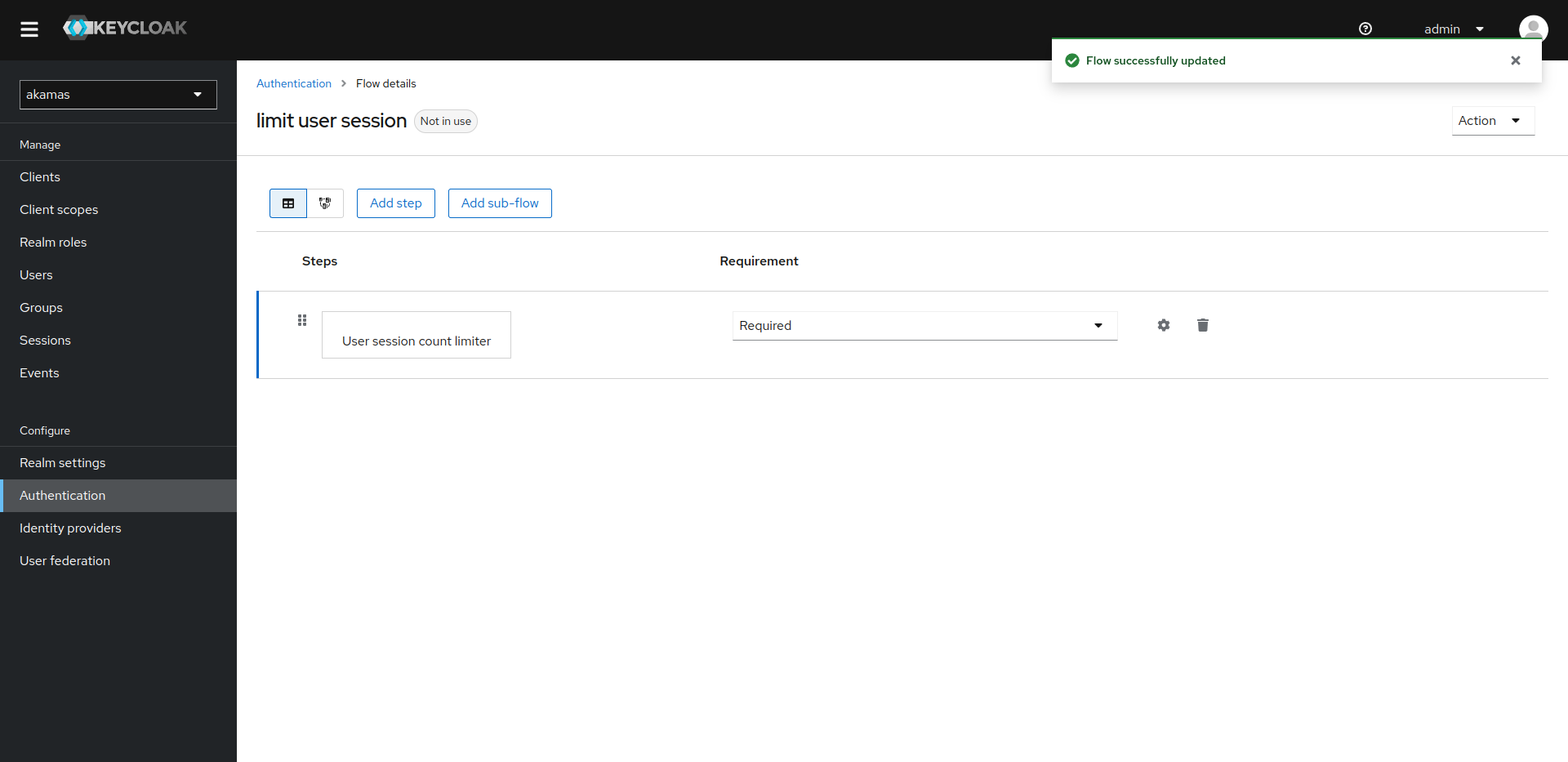
Set this new step as "Required" from the drop-down then click on the cog icon to edit its properties

<figure><img src="https://4103111959-files.gitbook.io/~/files/v0/b/gitbook-x-prod.appspot.com/o/spaces%2FzrIhBBVa4sw46ol13SWX%2Fuploads%2Fgit-blob-6979f979a2a96ea97c3eaa43fac6bdfdfc4d8987%2FSchermata%20del%202024-01-25%2017-22-07.png?alt=media" alt=""><figcaption></figcaption></figure>

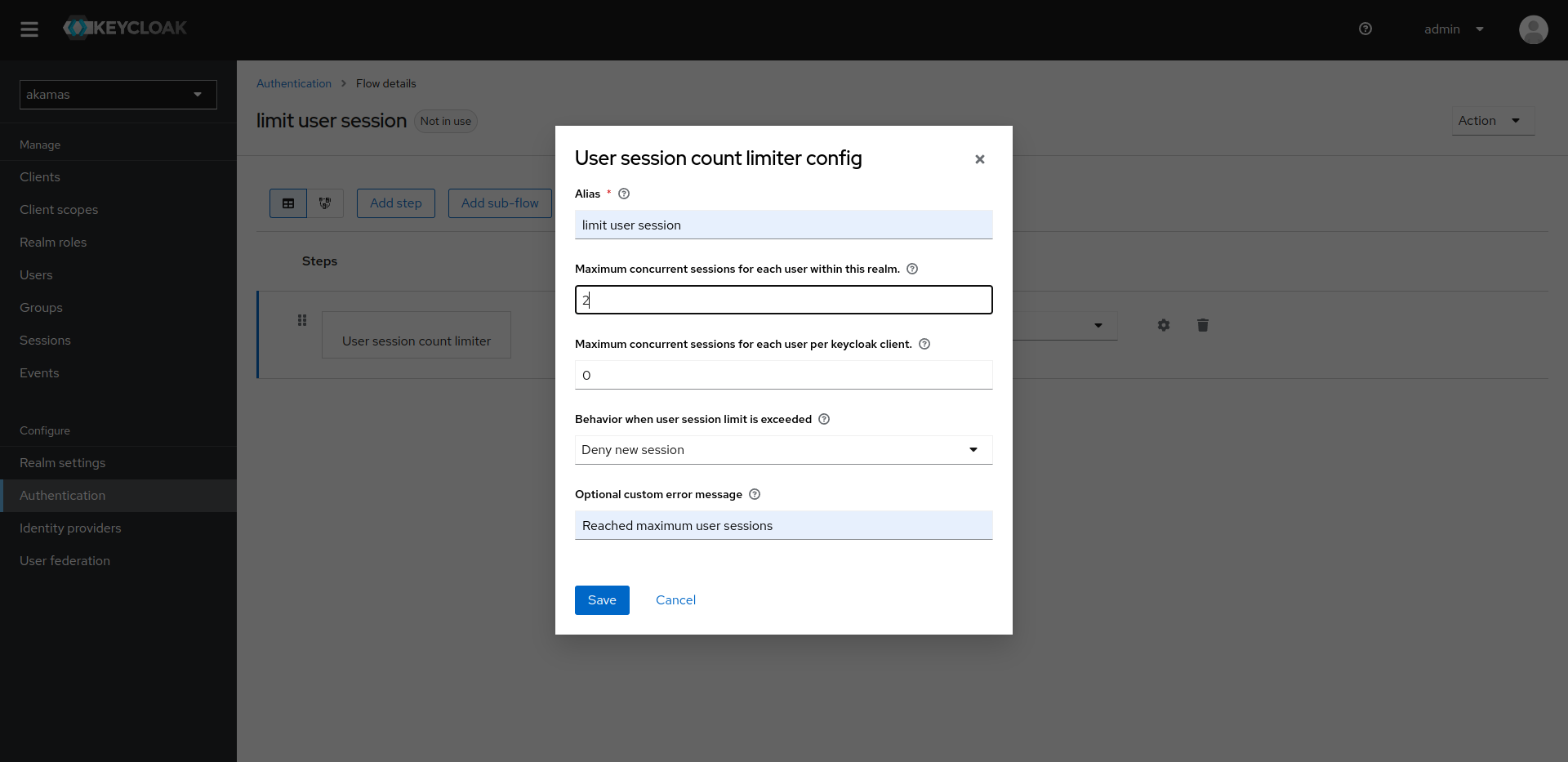
Give it a meaningful alias and type in the maximum concurrent session value you desire. Select the behavior "Deny new session" from the drop-down list. Type in a valid message in the textbox "Optional custom error message" and click on "Save".

<figure><img src="https://4103111959-files.gitbook.io/~/files/v0/b/gitbook-x-prod.appspot.com/o/spaces%2FzrIhBBVa4sw46ol13SWX%2Fuploads%2Fgit-blob-cfbd6451b61f9a2de709e36fadd5767855663f73%2FSchermata%20del%202024-01-25%2017-22-28.png?alt=media" alt=""><figcaption></figcaption></figure>

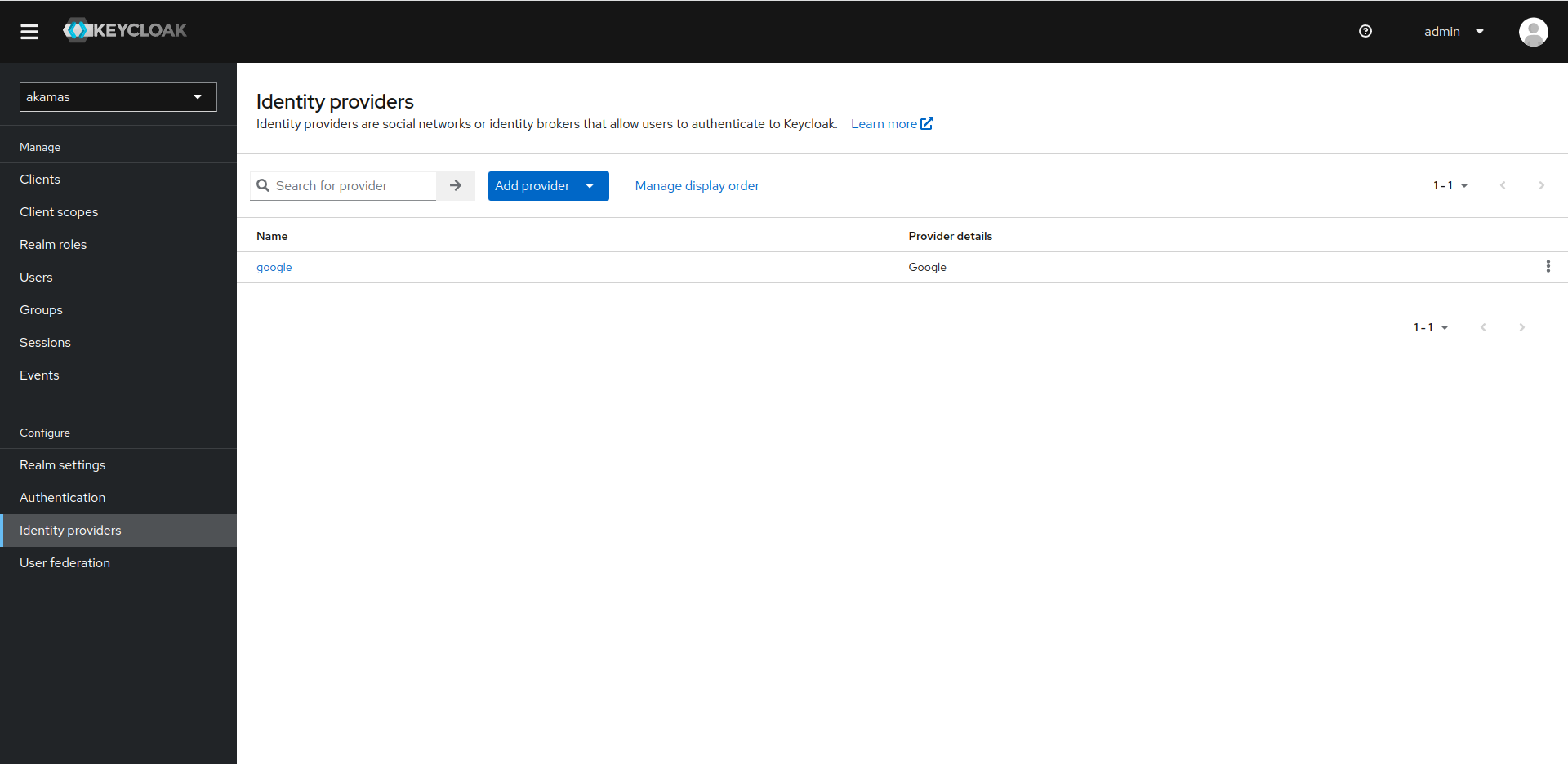
Now go to the identity provider page and click on the Identity provider you want to limit.

<figure><img src="https://4103111959-files.gitbook.io/~/files/v0/b/gitbook-x-prod.appspot.com/o/spaces%2FzrIhBBVa4sw46ol13SWX%2Fuploads%2Fgit-blob-fed3f4ba50efcca4aeb6ebbbd56756a180e5abf0%2FSchermata%20del%202024-01-25%2017-22-52.png?alt=media" alt=""><figcaption></figcaption></figure>

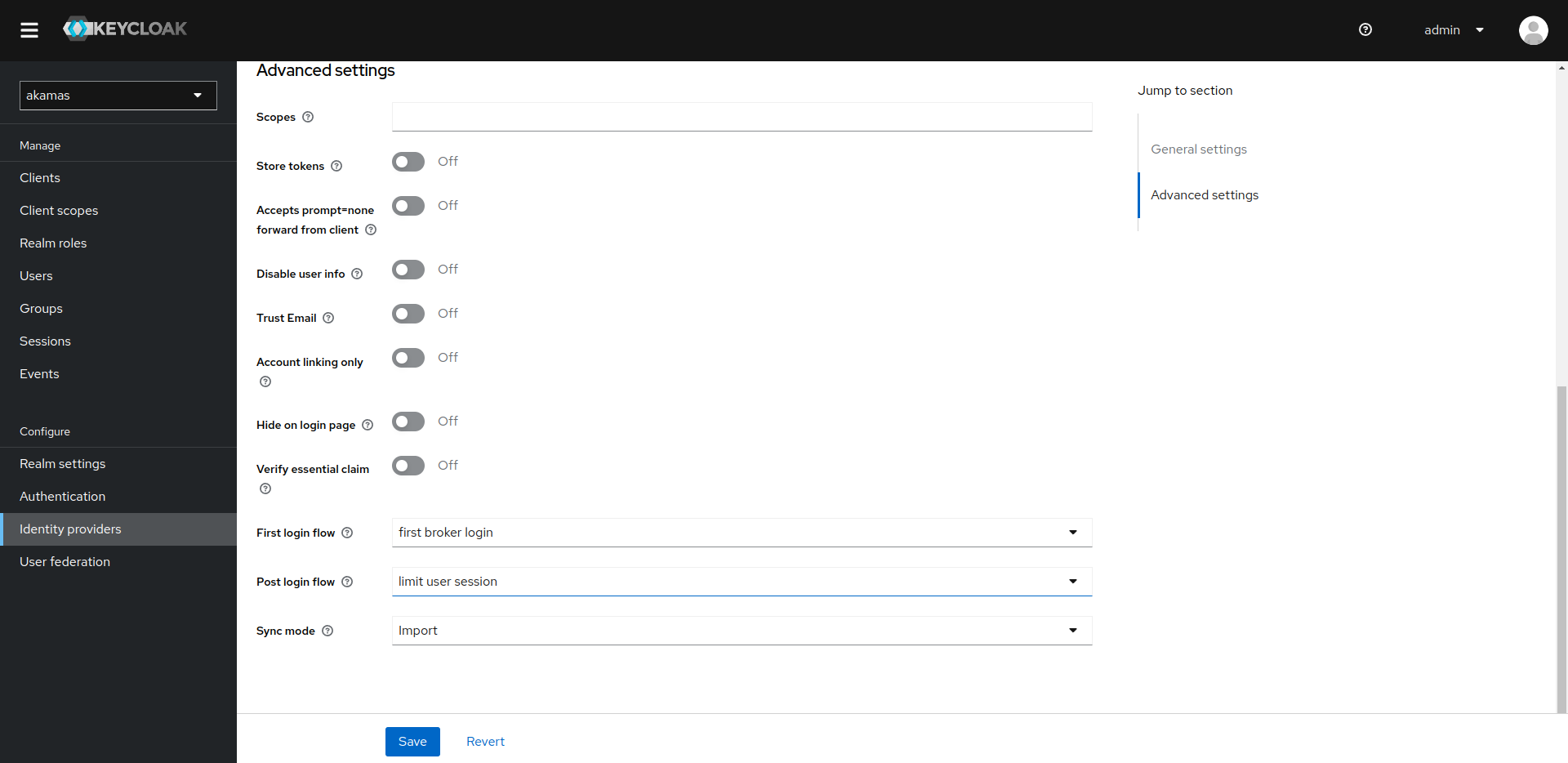
Scroll down to the bottom, click on the "Post login flow" dropdown, and select the new step you just created then click on the "Save" button.
<figure><img src="https://4103111959-files.gitbook.io/~/files/v0/b/gitbook-x-prod.appspot.com/o/spaces%2FzrIhBBVa4sw46ol13SWX%2Fuploads%2Fgit-blob-d727b569fca8dc2a2149f9219913fdcb916e8470%2FSchermata%20del%202024-01-25%2017-23-02.png?alt=media" alt=""><figcaption></figcaption></figure>