# Local users

First, access the Keycloak admin console with the instructions provided on the page [accessing-keycloak-admin-console](https://docs.akamas.io/akamas-docs/3.6/managing-akamas/users-management/accessing-keycloak-admin-console "mention").

<figure><img src="https://4103111959-files.gitbook.io/~/files/v0/b/gitbook-x-prod.appspot.com/o/spaces%2FzrIhBBVa4sw46ol13SWX%2Fuploads%2Fgit-blob-cb4b263d311637753e64385b86f9765439faa588%2Fks_auth_flows_list.png?alt=media" alt=""><figcaption></figcaption></figure>

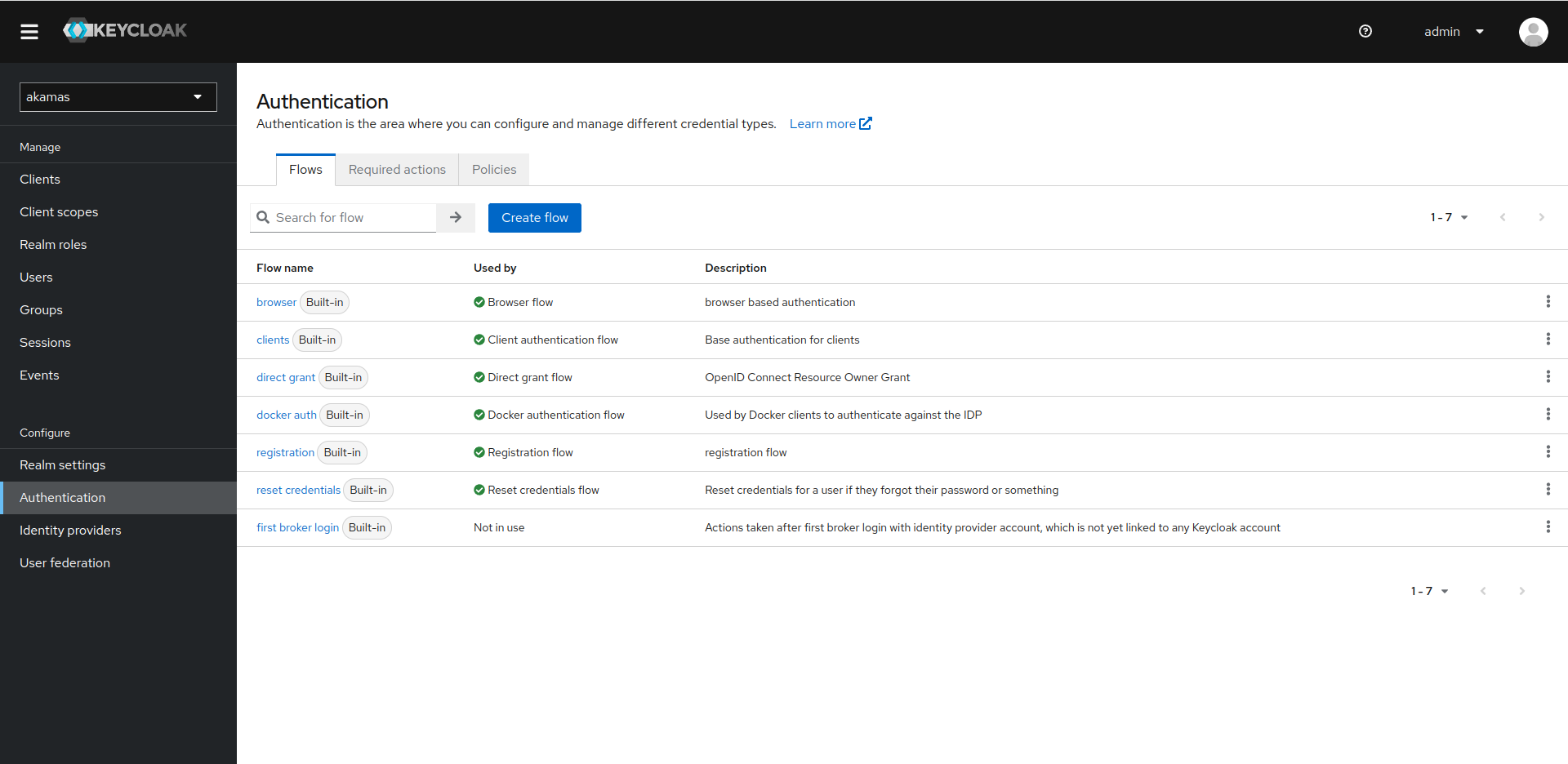
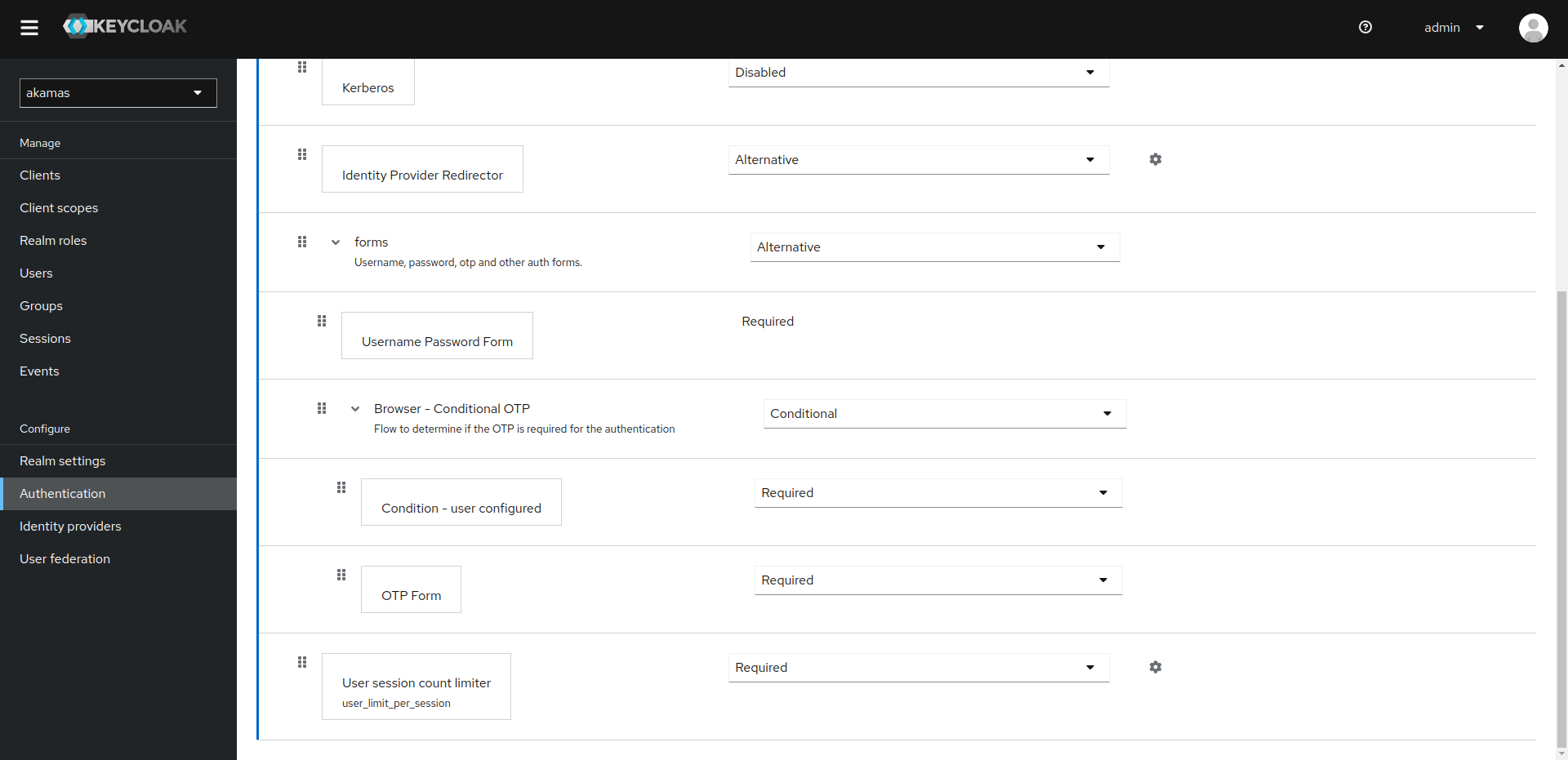
On the Authentication page, select the "browser" flow and scroll the "User session count limiter" entry.

<figure><img src="https://4103111959-files.gitbook.io/~/files/v0/b/gitbook-x-prod.appspot.com/o/spaces%2FzrIhBBVa4sw46ol13SWX%2Fuploads%2Fgit-blob-05ea8c66a297cb44b295a487d8c1e99e57bbec77%2Fkc_auth_flow_def.png?alt=media" alt=""><figcaption></figcaption></figure>

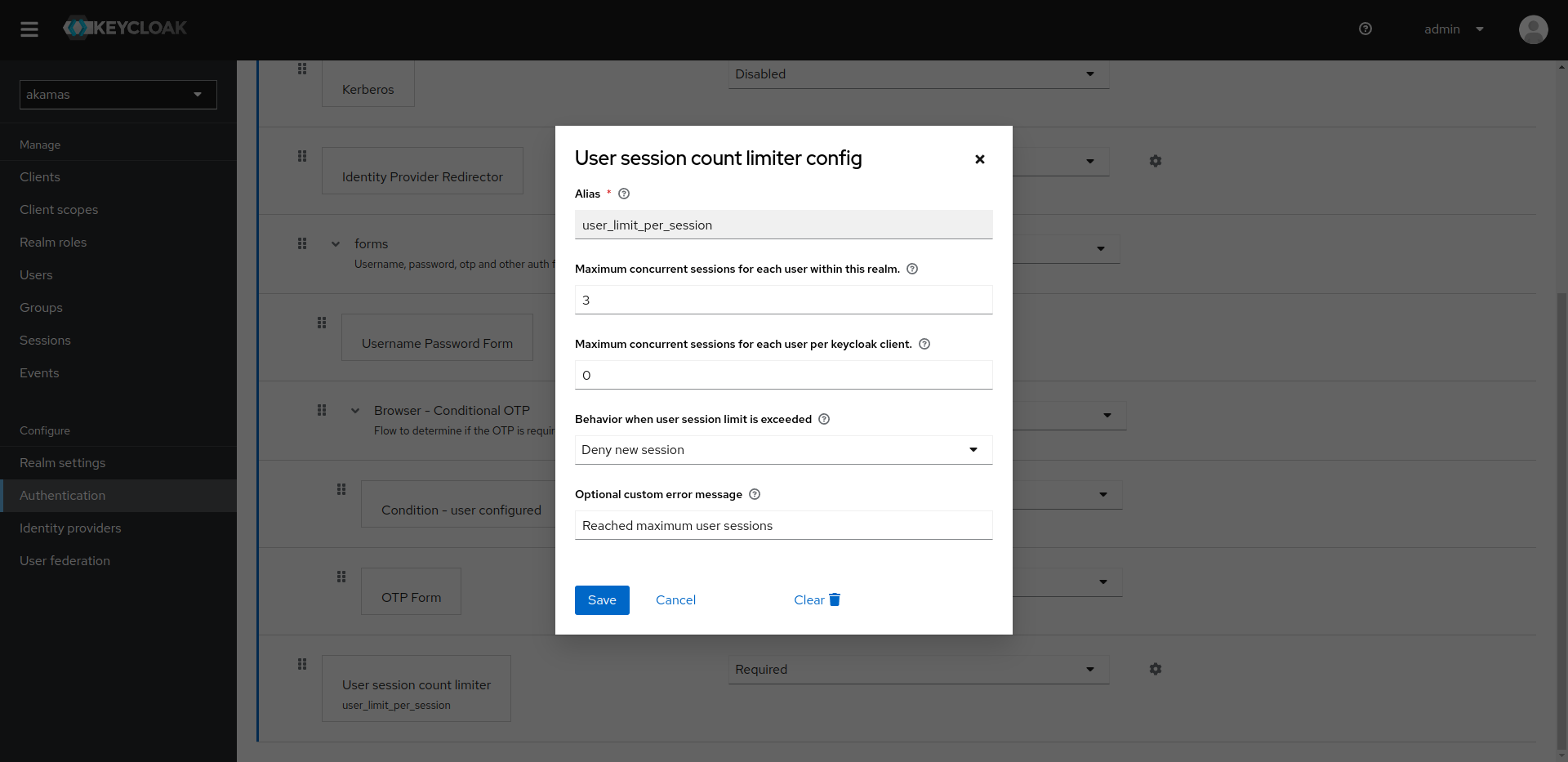
On the row "User session count limiter", click on the cog icon. From here you can choose the maximum concurrent sessions for each user, and the behavior when the maximum number is reached. Select "Deny new session" to deny new accesses. if previous sessions are not properly terminated, you may need to delete them from the Keycloak console under the Users section.
<figure><img src="https://4103111959-files.gitbook.io/~/files/v0/b/gitbook-x-prod.appspot.com/o/spaces%2FzrIhBBVa4sw46ol13SWX%2Fuploads%2Fgit-blob-2c28f5a9cb168fb32c2d1c6531d3192ba06cf427%2Fkc_auth_flow_user_limit.png?alt=media" alt=""><figcaption></figcaption></figure>