> For the complete documentation index, see [llms.txt](https://docs.akamas.io/akamas-docs/llms.txt). Markdown versions of documentation pages are available by appending `.md` to page URLs; this page is available as [Markdown](https://docs.akamas.io/akamas-docs/3.6/reference/glossary/component-type.md).
# Component Type
A **component type** is a blueprint for a component that describes the type of entity the component refers to. In Akamas, a component needs to be associated with a **component type**, from which the component inherits its metrics and parameters.
Component types are platform entities (i.e.: shared among all the users) usually provided off the shelf and shipped within the [Optimization Packs](/akamas-docs/3.6/reference/glossary/optimization-pack.md). Typically, different component types within the same optimization pack are used to model different versions/releases of the same technology.
Akamas' users with appropriate privileges can create custom component types and optimization packs, as described on the [Creating custom optimization pack](/akamas-docs/3.6/knowledge-base/creating-custom-optimization-packs.md) page.
## Construct
A component type is described by the following mandatory properties (other properties can be defined but are not mandatory):
* a **name** that uniquely identifies the component type within the system
* a **description** that clarifies what the component type refers to
* a **parameter** definitions array (more on Parameters later)
* a **metrics** array (more on Metrics later)
The construct to be used to define a component type is described on the [Component type template](/akamas-docs/3.6/reference/construct-templates/component-types-template.md) page.
## Commands
A component type is an [Akamas resource](/akamas-docs/3.6/reference/cli-reference.md#clireference-operations) that can be managed via CLI using the [resource management commands.](/akamas-docs/3.6/reference/cli-reference/resource-management.md)
## User Interface
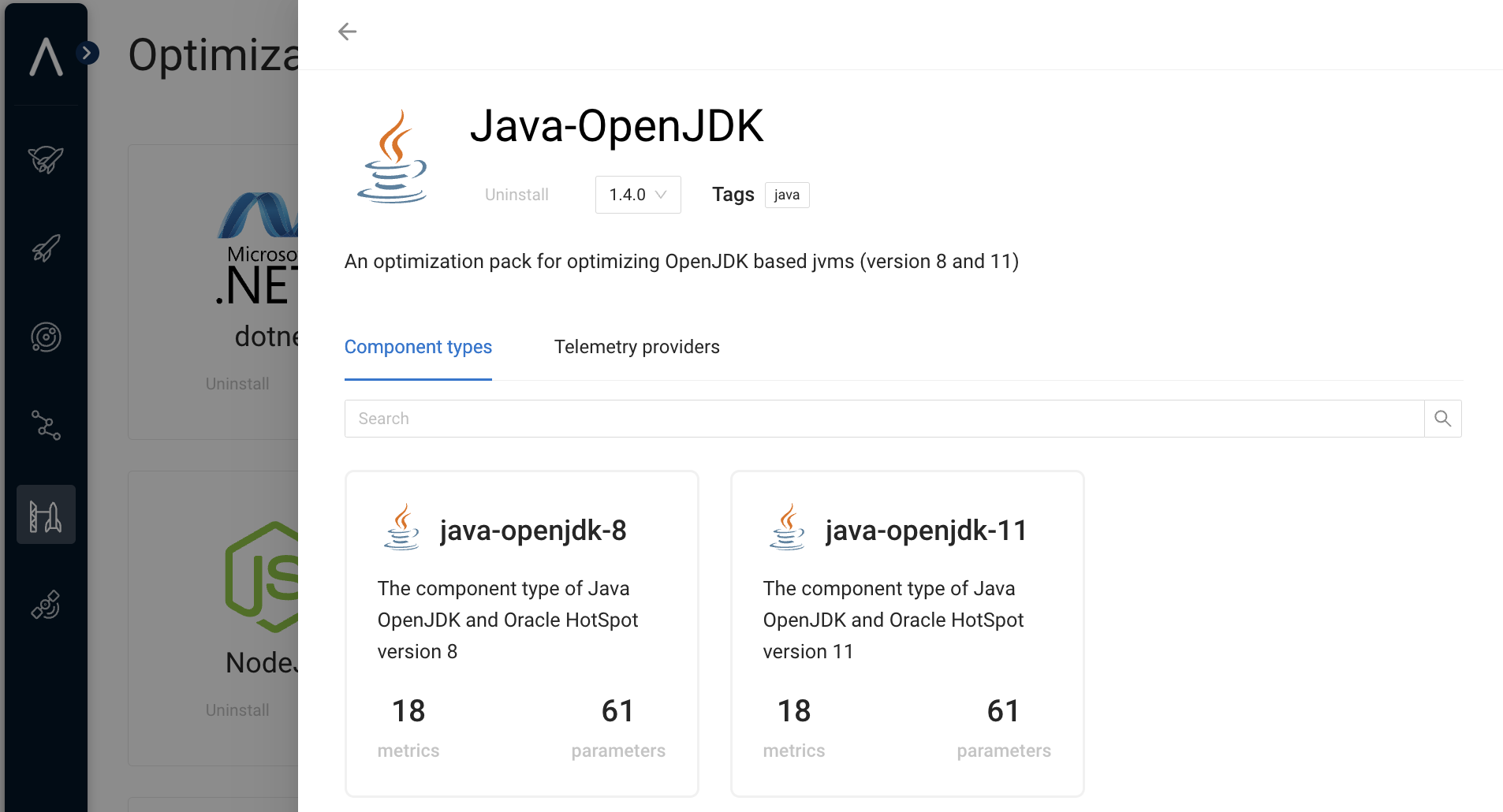
When visualizing system components the component type is displayed.
The following figure shows the out-of-the-box JVM component types related to the JVM optimization pack.
---
# Agent Instructions
This documentation is published with GitBook. GitBook is the documentation platform designed so that both humans and AI agents can read, navigate, and reason over technical content effectively. Learn more at gitbook.com.
## Querying This Documentation
If you need additional information that is not directly available in this page, you can query the documentation by asking a question.
Perform an HTTP GET request on the following URL with the `ask` and `goal` query parameters:
```
GET https://docs.akamas.io/akamas-docs/3.6/reference/glossary/component-type.md?ask=&goal=
```
`ask` is the immediate question: it should be specific, self-contained, and written in natural language.
`goal` is what the user is ultimately trying to achieve, the reason they need the answer. Sharing it helps GitBook give you a better, more relevant answer. A goal is most helpful when it describes the outcome the user wants rather than restating the question. For example, with `ask=how do I create an API token`, a goal like `automate deployments from our CI pipeline` lets GitBook tailor the answer to that use case.
The response will contain a direct answer to the question and relevant excerpts and sources from the documentation.
Use this mechanism when the answer is not explicitly present in the current page, you need clarification or additional context, or you want to retrieve related documentation sections.