> For the complete documentation index, see [llms.txt](https://docs.akamas.io/akamas-docs/llms.txt). Markdown versions of documentation pages are available by appending `.md` to page URLs; this page is available as [Markdown](https://docs.akamas.io/akamas-docs/3.6/reference/glossary/workflows.md).
# Workflow
A **workflow** is a set of tasks that run in sequence to evaluate a configuration as part of an [optimization study](/akamas-docs/3.6/reference/glossary/optimization-studies.md). A **task** is a single action performed within a workflow.
Workflows allow you to automate Akamas optimization studies, by automatically executing a sequence of tasks such as initializing an environment, triggering load testing, restoring a database, applying configurations, and much more.
These are examples of common tasks:
* Launch remote commands via SSH
* Apply parameter values in configuration files
* Execute Spark jobs via spark-submit API
* Start performance tests by integrating with external tools such as Neoload
Workflows are first-class entities that can be defined globally and then used in multiple optimization studies.
Akamas provides several [workflow operators](/akamas-docs/3.6/reference/workflow-operators.md) that can be used to perform tasks in a workflow. Some operators are general-purpose, such as those executing a command or script on a specific host, while others provide native integrations with specific technologies and tools, such as Spark History Server or load testing tools.
## Construct
The construct to be used to define a workflow is described on the [Workflow template](/akamas-docs/3.6/reference/construct-templates/using-workflows.md) page.
## Commands
A telemetry provider is an [Akamas resource](/akamas-docs/3.6/reference/cli-reference.md#clireference-operations) that can be managed via CLI using the [resource management commands.](/akamas-docs/3.6/reference/cli-reference/resource-management.md)
## User Interface
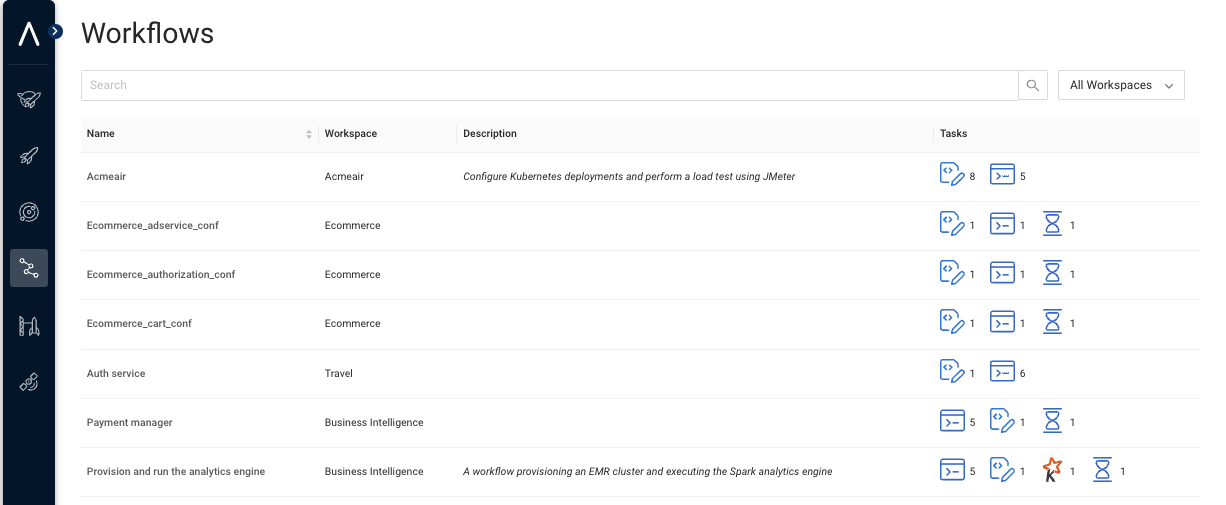
The Akamas UI shows systems in a specific top-level menu.
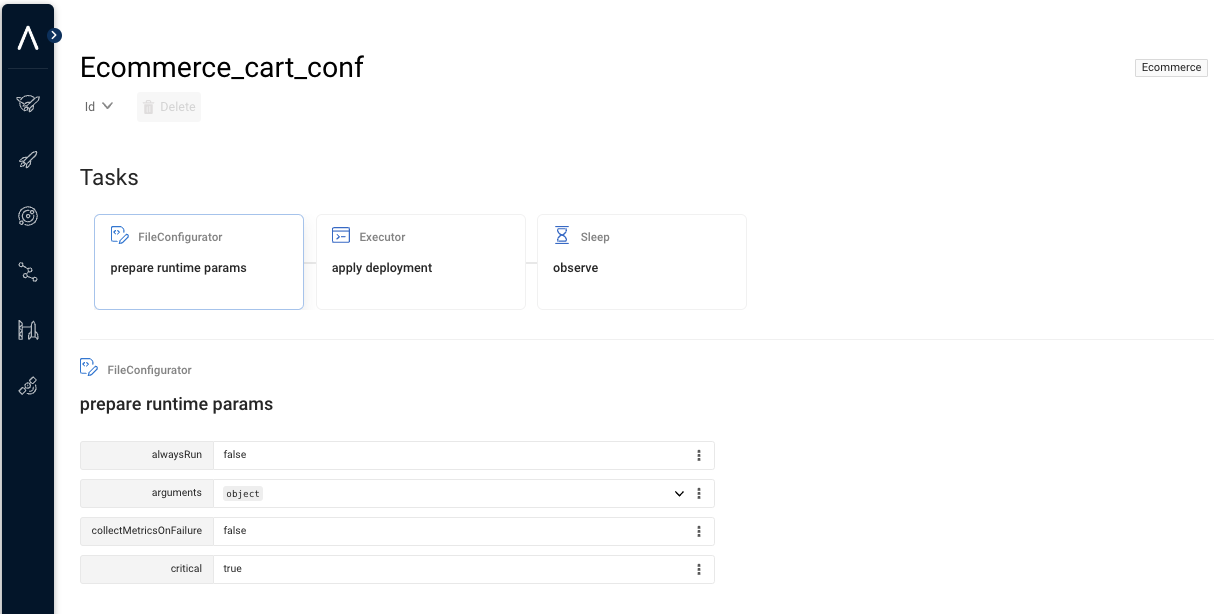
The list of tasks is displayed when drilling down to each specific workflow.
---
# Agent Instructions
This documentation is published with GitBook. GitBook is the documentation platform designed so that both humans and AI agents can read, navigate, and reason over technical content effectively. Learn more at gitbook.com.
## Querying This Documentation
If you need additional information that is not directly available in this page, you can query the documentation by asking a question.
Perform an HTTP GET request on the following URL with the `ask` and `goal` query parameters:
```
GET https://docs.akamas.io/akamas-docs/3.6/reference/glossary/workflows.md?ask=&goal=
```
`ask` is the immediate question: it should be specific, self-contained, and written in natural language.
`goal` is what the user is ultimately trying to achieve, the reason they need the answer. Sharing it helps GitBook give you a better, more relevant answer. A goal is most helpful when it describes the outcome the user wants rather than restating the question. For example, with `ask=how do I create an API token`, a goal like `automate deployments from our CI pipeline` lets GitBook tailor the answer to that use case.
The response will contain a direct answer to the question and relevant excerpts and sources from the documentation.
Use this mechanism when the answer is not explicitly present in the current page, you need clarification or additional context, or you want to retrieve related documentation sections.